
Free social preview toolkit for OG images & link cards
Design 1200×630 share images, check how a public URL looks before you post, and look up recommended sizes — free tools that run in your browser. No account required.
See all free tools· Checker sends only the URL you paste —Privacy
- Free to use
- No sign-up
- Runs in your browser
- 54 templates
Live studio
Choose a template
Save Image
Export the image as a PNG, JPEG or WebP.
PNG or JPG is the safe default for og:image. WebP works in some crawlers but is inconsistent, so avoid it for the tagged file.
Open Graph Image Format Tips
Choose the optimal format for social media platforms.
- PNG: Better quality for text and logos
- JPEG: Ideal for photographs and complex images
- WebP: Fine for your own use; avoid for the tagged og:image file
Need more than this demo?
Logo upload, brand kits, and all 54 templates live in the full generator.
This homepage studio is a live demo. Open the generator to save settings and download production-ready assets.
Open full generatorProduct
Tools
Start with a generator, check a live URL, or read a size and troubleshooting guide. Every tool is free. Image tools run in your browser; the Link Preview Checker sends only the URL you enter to our server.
OG Image Generator
Design a 1200×630 share image in the browser and download a PNG for your og:image tag.
Open toolLink Preview Checker
Paste a public URL and see how the title, description and image are likely to appear when shared.
Open toolImage Resizer
Cover or contain crop to platform presets from our size data, then export PNG, JPG or WebP in the browser.
Open toolGradient Text Generator
Build CSS gradient text with bundled fonts, copy a Tailwind-friendly snippet, or download a transparent 2× PNG.
Open toolMeta Tag Generator
Build Open Graph and Twitter meta tags, copy HTML, Next.js metadata or Astro snippets, and preview share cards in the browser.
Open toolOG Tags Repair Assistant
Fix relative og:image URLs, prefer https, add twitter:card defaults, and copy repaired HTML in the browser.
Open toolBrand Kit
Save site name, colors and font for the OG generator in this browser — localStorage only, no account.
Open toolBulk OG Image Generator
Paste a CSV of titles and download up to 25 PNG Open Graph images in your browser.
Open toolSocial Preview Simulator
Simulate Facebook, LinkedIn, X and WhatsApp-style cards from a URL or manual metadata.
Open toolOG Image Inspiration
Curated layout ideas from our own templates — filter by category and open in the generator.
Open toolWebsite OG Audit
Check a pasted URL list for missing Open Graph tags — sequential, capped, not a full crawl.
Open toolDeveloper URL helpers
Build Cloudflare /api/og URLs with typed helpers — not a published npm package.
Open toolMetadata suggestions
Rules-based title and description suggestions from pasted content — clearly not AI.
Open toolPreview recheck history
Manual local history of URLs you rechecked — not continuous monitoring.
Open toolSocial Image Checker
Drop a PNG, JPG, WebP or GIF and see pass / warn / fail for every platform size — entirely in your browser.
Open toolOG Image Templates
Browse free 1200×630 Open Graph templates, then open them in the generator to customize and download.
Open toolSocial Image Size Guide
Recommended pixel sizes, aspect ratios and file limits for Facebook, X, LinkedIn, WhatsApp, Pinterest, Slack, Discord and iMessage.
Open toolog:image not showing Fix Guide
A practical checklist for missing, cached or invalid Open Graph images after you publish a page.
Open tool
Templates
Templates that ship ready to share
Six featured layouts below. Open any one in the studio, or browse all 54 templates in the generator.
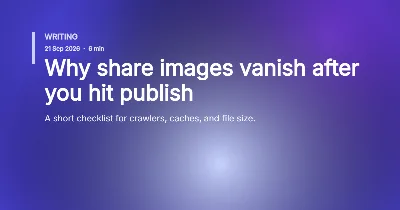
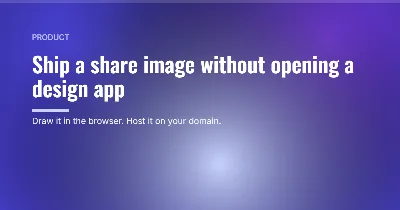
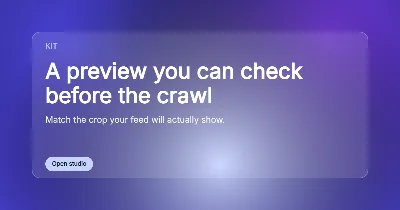
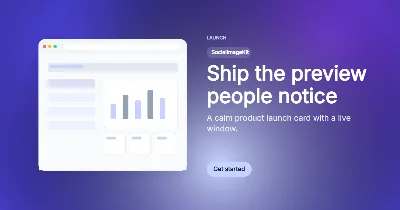
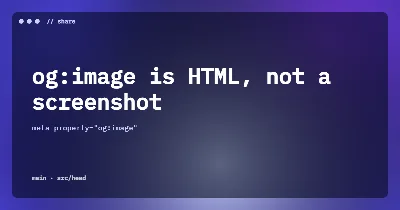
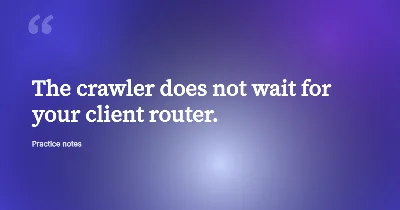
Includes Designer, Blog, SaaS, GitHub, Quote and Event packs.
Size guides for
Why SocialImageKit
Why Choose SocialImageKit?
Free Open Graph tools on socialimagekit.com — generate, check, and size share images without an account.
100% Free OG Image Generator
Create professional Open Graph images without registration, subscriptions, or watermarks. A free alternative to paid social media design tools.
Perfect Social Media Dimensions
Generate 1200×630 images sized for major platforms — so shares look sharp instead of cropped.
- X
- Slack
- Discord
Ready-to-Use OG Templates
Skip blank canvases with 54 original templates for blogs, products, launches, quotes and more — optimized for readable previews.
High-Quality Image Export
Download PNG or JPG files ready for your site. Crisp text for headlines, or lighter JPEGs when you need a smaller file for hosting.
Brand-Consistent Meta Images
Add your logo, pick brand colors and keep a consistent look across every platform. Built for businesses and product teams.
No Design Skills Required
Type a title, choose a template and export. Professional typography and layouts without opening Photoshop or Figma.
Mobile-Friendly Experience
Design and download from desktop, tablet or phone. The editor stays usable so you can ship a preview wherever you work.
Instant Social Media Images
Preview updates as you type and download in seconds. Built for bloggers, marketers and developers who need a share image now.
Workflow
How it works
Three steps from a headline to a live Open Graph tag. You host the image; this site does not publish pages for you.
1
Add your title and design
Type a headline, choose a template and add your site name. The 1200×630 preview updates as you type so you can check contrast and line length before you export a PNG.
2
Preview on each platform
Each network crops share images differently. Keep text away from the edges and confirm the layout still reads at the default Open Graph size.
- X
3
Download and add the og:image tag
Host the PNG at a stable HTTPS URL, then add the meta tags below to the head of your page. After you publish, re-scrape the URL in each platform’s debugger so caches pick up the new file.
Add this to your document head
<meta property="og:image" content="https://yoursite.com/og-image.png" />
<meta property="og:image:width" content="1200" />
<meta property="og:image:height" content="630" />
Specs
Recommended image sizes
A 1200×630 PNG covers most link previews. Use the table when a platform asks for a different crop or a hard file-size limit. Start with theOG image size guide, theLinkedIn Post Inspector,Facebook Sharing Debugger, or the fullsize cheat sheet.
| Platform | Recommended size | Aspect ratio | Min size | Max file size |
|---|---|---|---|---|
| FacebookVerified against official docs | 1200 × 630 px | 1.91:1 | 200×200 absolute; 600×315 large card | 8 MB |
| X (Twitter)Verified against official docs | 1200 × 628 px | ≈2:1 | 300×157 | 5 MB |
| LinkedInVerified against official docs | 1200 × 627 px | 1.91:1 | 200×200 | 5 MB |
| WhatsAppRecommended | 1200 × 630 px | 1.91:1 | Uses Open Graph | Practical max ~600 KB; aim 200-400 KB |
| PinterestRecommended | 1000 × 1500 px | 2:3 | Uses 2:3 pin ratio | 20 MB |
| SlackRecommended | 1200 × 630 px | 1.91:1 | Uses Open Graph | Under 1 MB recommended (5 MB hard) |
| DiscordRecommended | 1200 × 630 px | 1.91:1 | Uses Open Graph | Under 1 MB recommended |
| iMessageRecommended | 1200 × 630 px | 1.91:1 | Uses Open Graph | 8 MB |
| TelegramRecommended | 1200 × 630 px | 1.91:1 | 200×200 | ~5 MB |
| BlueskyRecommended | 1200 × 630 px | 1.91:1 | Uses Open Graph / embed card | Aim under 1 MB |
| ThreadsRecommended | 1200 × 630 px | 1.91:1 | Uses Open Graph | 8 MB practical |
| RedditRecommended | 1200 × 630 px | 1.91:1 | Uses Open Graph | Recommended under 1 MB |
| InstagramRecommended | 1200 × 630 px | 1.91:1 | Uses Open Graph for linked URLs | Recommended under 1 MB |
| YouTubeVerified against official docs | 1280 × 720 px | 16:9 | 640 px width | 2 MB (10 MB for podcasts) |
| MastodonRecommended | 1200 × 630 px | 1.91:1 | Uses Open Graph / ActivityPub preview | PNG/JPG under 1 MB safest |
| Generic OGRecommended | 1200 × 630 px | 1.91:1 | Uses Open Graph | 8 MB |
Facebook, X and LinkedIn sizes are verified against official docs. Other rows are recommended Open Graph defaults. Last checked: October 2026.
Audience
Who it’s for
Built for developers, writers and marketers publishing links anywhere.
Developers
Generate a share image without opening a design app, copy the og:image tags, and verify a preview before you deploy. The markup has to be in the HTML response — crawlers do not wait on client-side rendering.
Bloggers & writers
Turn a post title into a readable card so a shared link does not show a random crop, a blank box, or an image that has nothing to do with the article.
Marketers
Check how a landing page is likely to look in a feed, then export a correctly sized PNG for campaigns, docs and social posts without a separate design handoff.
Frequently asked questions
Short answers about OG images, sizes, missing previews and how this free site works.
What is an OG image?
An OG image is the picture that appears when someone shares your link on Facebook, LinkedIn, Slack or similar apps. It comes from the Open Graph og:image meta tag in your page HTML. A clear title, readable contrast and a 1200×630 layout help the preview look deliberate instead of a random crop from the article.
What size should an OG image be?
Use 1200×630 pixels (about 1.91:1) as the default for Facebook, LinkedIn and generic Open Graph tags. X (Twitter) photo cards are similar; keep important text away from the edges in case a platform crops. Export PNG or JPEG, keep the file reasonably small, and test the live URL because crawlers cache images.
Next: OG image size guide
Why is my og:image not showing?
Most failures come from cache, a relative URL, or a file the crawler cannot fetch. The image must be an absolute https URL that returns 200 and stays under the platform size limit. After you replace a file, re-scrape the page in Facebook Sharing Debugger or a similar tool. The tag also has to exist in the first HTML response, not only after JavaScript runs.
Is SocialImageKit free?
Yes. The tools on this website are free to use in your browser. You do not pay to generate a PNG or to check a public link preview. We may display ads later to cover hosting costs. There is no paid plan at the moment, and images you download are yours to use on your own sites and social posts.
Do I need to sign up?
No account is required. You can design an image, download a PNG, or check a public URL without creating a login. We do not store generator input as a user profile. If optional saved templates are added later, they will be clearly labelled and will not be required for the basic tools on this site.
Which image formats are supported?
Download PNG, JPG or WebP from the generator. Use PNG or JPG for the og:image file itself because crawler support for WebP is uneven. Aim for 1200×630 pixels, keep the file size modest, and avoid SVG for og:image because several platforms will not render it.
Next: Open OG image generator
Interested in Pro features later?
Planned features only — nothing to buy. Join the list for launch updates. No payment is taken. Details on the Pro waitlist page.